
How to use the monopod and shooting stick for steadier aim, where to equip it, and when it helps most.
Way of the Hunter 2 How to Use Monopod
The monopod, called the shooting stick in Way of the Hunter 2, is a piece of carryable field gear that steadies your aim and cuts down rifle sway. Pack it in your loadout before a hunt, deploy it whenever you stop to shoot, then rest your rifle on it and aim as normal for tighter groups at long range.
- The in-game item is named shooting stick. Monopod is the word most players use for it.
- It helps standing and kneeling shots the most, especially past 100 meters.
- It takes pack space, so bring it on stalks across open ground and leave it behind in thick brush.
- If you are new to the game, read our beginner guide first for the core loop of spotting, stalking, and claiming.
What the Shooting Stick Actually Does
The stick does one job: it shrinks the wobble in your sight picture while you aim. Shots from a standing position sway the most, and that sway is what turns a clean lung shot into a gut shot at 200 meters. Resting the rifle on the stick damps that movement so the crosshair settles faster and stays inside the vitals longer.
What it does not do matters just as much. It does not change your ammo ballistics, it does not make animals easier to find, and it does not remove all movement. Wind, distance, animal posture, and your own breathing still decide the outcome. Think of it as a stability bonus stacked on top of good fundamentals, not a replacement for them. Our hunting tips and tricks page covers the rest of that stack, from reading wind to timing the shot.
Compared with shooting positions, the stick sits between kneeling and going prone. Lying prone is still the steadiest option when the grass and terrain allow it. The stick earns its slot in all the moments when prone is impossible: tall grass blocking the scope, a slope with no flat spot, or an animal that will move off if you take ten seconds to lie down.
How to Equip the Shooting Stick Before a Hunt
The stick travels with you as part of your loadout, so sort it out before you walk far from the lodge.
- Open your inventory and loadout screen and add the shooting stick to your carried gear.
- Check that it is actually equipped, not just owned. Owned gear sitting in storage does nothing for you in the field.
- Balance the rest of the loadout around the plan. Pack space is limited, and the game warns you when you try to pack up placeables with a full inventory, so a stick plus binoculars plus one rifle with matching ammo is a sensible stalk setup.
- Confirm your bindings. Controls are remappable and keybind resets have been a recurring patch topic, so glance at the keybind menu and make sure you know which input deploys gear before an animal is staring at you.
The stick is standard field equipment listed with the rest of the gear, and the in-game encyclopedia carries entries for equipment stats. If anything about availability looks different in your version, check the shop and encyclopedia tabs first, since Early Access era patches kept reshuffling gear details. The rifle you pair it with matters too, so compare options in our best weapons and ammo guide before spending money.
Official source: Way of the Hunter 2 on Steam — the store page confirms the current platform lineup and edition details.
How to Deploy It and Shoot From the Stick
The routine is the same every time: stop, set the stick, then shoot. Rushing any of the three steps wastes the stability you carried the stick for.
- Stop moving completely and face the animal with your body square to the expected shot lane.
- Deploy the shooting stick and let your character settle into the rested stance.
- Shoulder the rifle and rest the fore-end on the stick, not the barrel. Pressure on the barrel shifts point of impact.
- Settle the crosshair, control your breathing as the sway shrinks, and break the shot only when the reticle sits inside the vitals.
- Stay on the stick for the follow-through. Dropping the rifle the instant the shot breaks is how watchers miss seeing where the animal was hit.
Stance choice changes how much the stick gives you. Standing gains the most because freehand sway is at its worst there. Kneeling behind the stick is a strong middle ground with a lower silhouette for wary animals. Prone needs the stick least, and prone gear interaction has been one of the buggier corners of the game across several patches, so if something feels off while prone, stand or kneel instead and retest.
A real-world parallel helps with the posture. Field and Stream advises setting sticks near armpit height for standing shots and leaning slightly into them rather than balancing the rifle passively on top, which matches how the rested stance behaves in game: a firm, leaned-in hold settles faster than a loose one (How to Use Shooting Sticks from the Standing Position).
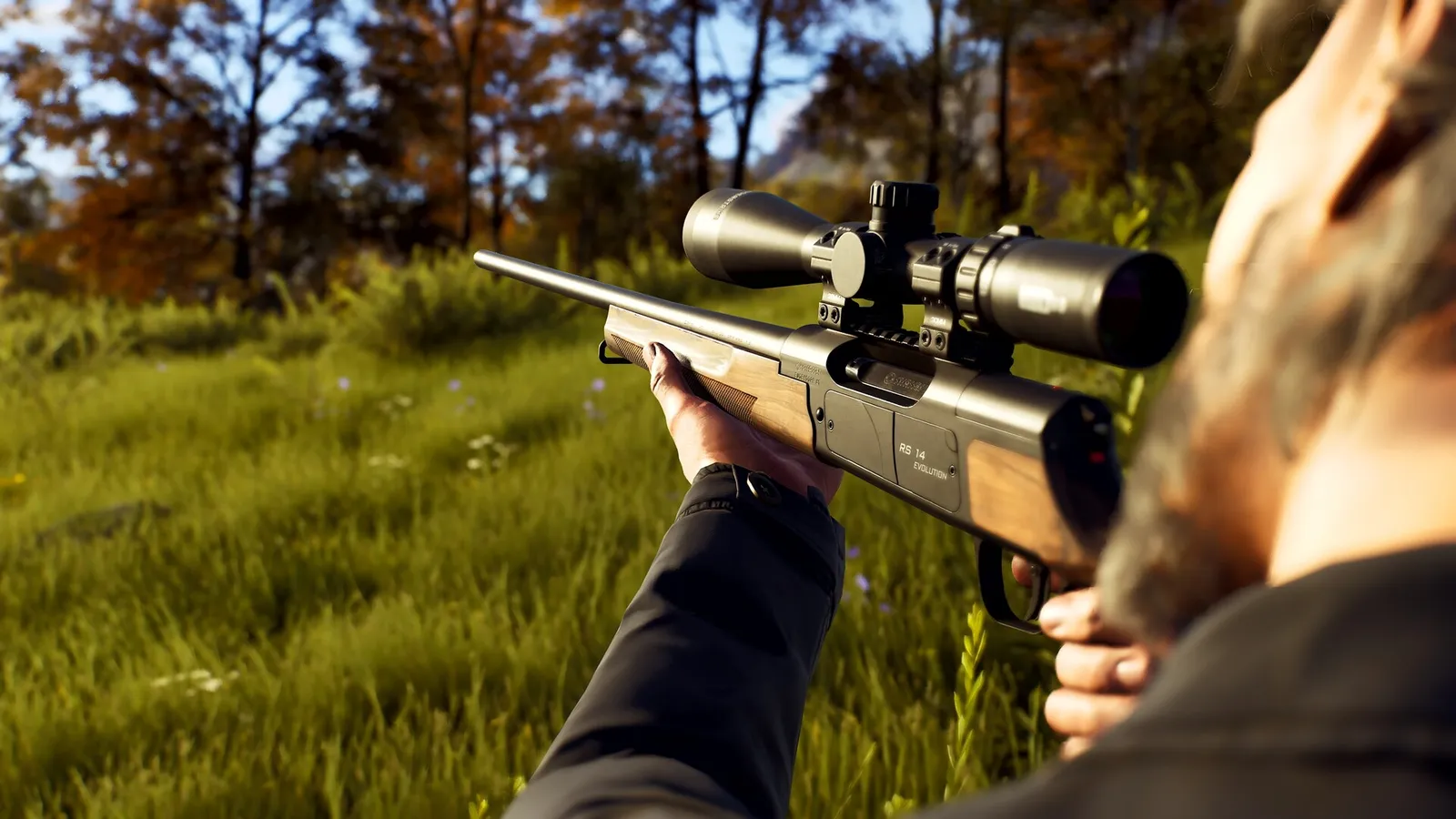
The Headquarters range added in the 0.4.0 update is the right place to learn the deploy rhythm. Burn through practice shots there until setting the stick feels automatic, so the first time you do it with a live animal is not the first time you do it at all.
When the Stick Helps Most, and When to Leave It Packed
| Situation | Bring the stick? | Why |
|---|---|---|
| Spot-and-stalk across open meadows or ridges | Yes | Long sightlines and no trees or rocks to brace on |
| Ridge-to-ridge shots past 150 meters | Yes | Sway dominates the miss pattern at that distance |
| Herd culling where you pick specific animals | Yes | Smaller wobble means surer placement on the chosen animal; see our herd management guide for which animals to take |
| Tall grass where prone blocks the scope | Yes | Standing rested beats lying blind |
| Thick timber with shots under 60 meters | Optional | Distances are short enough that freehand works |
| Fast follow-up on a running animal | No | Deploying costs seconds you do not have |
| Still-hunting that alternates walking and glassing | Leave it | Constant deploy and pack cycles slow you down |
Honest summary: the stick pays for its pack slot on slow, deliberate hunts with long sightlines, and it is dead weight on fast, close, brushy ones. Matching ammo to the expected distance matters just as much at long range, so check caliber pairings in our ammo and suppressors guide.
Problems Players Hit and the Current Fixes
Several stick issues have already been patched, which is worth knowing so you do not mistake an old complaint for a current bug.
- Carrying more than one shooting stick used to leave the extra ones unusable. Update 0.4.0 fixed being unable to use the shooting stick when carrying multiple, alongside broader fixes for gear failing while prone.
- Switching weapons while rested on the stick once produced a glitched camera when aiming down sights. That was addressed in the first major Early Access update, which also added suppressors and thermal optics (Update 1 overview).
- If the stick refuses to deploy now, the usual suspects are a full inventory, a prone stance on uneven ground, or a changed keybind. Fix those three first, then check the official FAQ and the community monopod thread to see whether other players report the same behavior on your version.
Official source: Update 0.4.0 patch notes — documents the shooting stick fixes, the Headquarters shooting range, and the September 29, 2026 console launch date.
FAQ
Is the shooting stick a separate purchase or standard gear?
It is standard field equipment grouped with the rest of the gear, with stats documented in the in-game encyclopedia. Open the shop tab to confirm availability and any cost in your version, since gear listings shifted during Early Access. The official game site and the developer blog at Nine Rocks Games track what each update changes.
Does the monopod work while prone?
Prone is already the steadiest stance, so the stick adds the least there, and prone gear interaction has had the most bugs across patches. The stick shines standing and kneeling. If you mostly shoot prone from a fixed ambush, consider a placeable option like the tripod stand instead.
What is the difference between the shooting stick and the tripod stand?
The shooting stick is mobile carry gear for stalks: deploy it anywhere in seconds and pack it back up. The tripod stand is a separate placeable ambush item you set up at a chosen spot and can fast travel from. Patch notes treat them as distinct items with their own fixes, so learn them as two tools, not two names for one.
Does the stick remove all sway?
No. It reduces sway so the crosshair settles faster, but breathing, stance, fatigue, and distance still move the reticle. Pair the stick with breath control, a sensible shooting distance for your caliber, and the steadiness picks from our best skills guide.
Related Guides
- Beginner Guide — the core loop the stick fits into: spot, stalk, shoot, claim.
- Best Weapons and Ammo — pick the rifle worth steadying before spending money.
- Hunting Tips and Tricks — wind, breathing, and shot timing that stack with the stick.
- Ammo and Suppressors — caliber and noise pairings for long rested shots.
- Best Skills — steadiness and tracking upgrades that multiply the stick's value.
More Way of the Hunter 2 Guides
Official answer on Way of the Hunter 2 crossplay: not in version 1.0. PC, PS5 and Xbox sessions are fully separate. What the dev says.
Way of the Hunter 2 tips that change results: reading tracks, wind, callers, waiting out weather, and using the dog to find wounded game.
Kilimaya Reserve in Way of the Hunter 2: the 100 km2 Africa map, its 13 species, which predators can charge you, and how to hunt hippo and buffalo safely.
Way of the Hunter 2 known issues after launch: the demo config fix for broken resolution settings, plus how to report a bug.
All 3 Way of the Hunter 2 maps with exact sizes: New Laurentia and Kilimaya at 100 km2 each, Hearth & Hunt at 16 km2. What each holds.
How to play co-op in Way of the Hunter 2: how to invite a friend, open a lobby, join a session, and the 2-player limit that trips people up at launch.
New Laurentia in Way of the Hunter 2: the 100 km2 North America map, its 15 species, elk and moose behaviour, need zones, tracks and hunting pressure.
Way of the Hunter 2 update 1.1 summary: weather forecast, inverted look, controller deadzone fixes, what is still broken, and how to report bugs.