Way of the Hunter 2 on Steam Deck: the developer says it is not officially supported. What happens when you try, and whether it is worth it.
Way of the Hunter 2 Steam Deck: Officially Unsupported, Here Is Why
Way of the Hunter 2 launches and runs on Steam Deck, but Nine Rocks Games will not call it supported: performance and gameplay are "not optimized for Steam Deck," and the developer says Deck setups may need "manual configuration or workarounds that have not been thoroughly tested by us." Steam's store page data marks the game as not Deck Verified, and ProtonDB rates it Silver, so you can install it today — you are running a configuration the developer has explicitly not tested. Whether that is worth your evening depends far less on frame rate than on the 7-inch screen.
Everything below was checked against the FAQ and the live store page on 2026-10-03, at version 1.1 (Version 212672, shipped 2026-10-01).
What the developer actually says
The official FAQ answers the Deck question in one paragraph, and it is unusually blunt for a launch-week page:
"The game can technically be launched and played on Steam Deck, but Steam Deck is not officially planned to be supported at this time. Running the game via Steam Deck may require manual configuration or workarounds that have not been thoroughly tested by us. Performance and gameplay are not optimized for Steam Deck, so players may encounter issues that would not normally occur on a PC meeting the minimum system requirements."
Official source: Way of the Hunter 2: FAQ
| Official FAQ wording | What it means if you own a Deck |
|---|---|
| "not officially planned to be supported" | No Deck-specific settings, no verified build, no support commitment |
| "may require manual configuration or workarounds … not thoroughly tested by us" | If it breaks, that is your config, not a bug the developer is chasing |
| "performance and gameplay are not optimized" | Nobody has tuned presets, HUD scale or resolution for a handheld |
| "issues that would not normally occur on a PC meeting the minimum system requirements" | The failure modes are expected, not exceptional |
Two things the FAQ does not say: it promises no Deck version later, and it gives no frame rate target. There is no roadmap item for Steam Deck as of 2026-10-03.
Steam's own compatibility data, read off the store page
The store page carries the deck-verification fields, and they answer a different question from the developer's.
| Field on the store page | Value |
|---|---|
bSteamDeck |
false |
bSteamOS / bSteamMachine / bSteamFrame |
false / false / false |
resolved_category |
2 |
steamos_resolved_category |
2 |
| Negative checklist items | 7 of a 12-item checklist |
The seven flagged failures map onto concrete symptoms:
| Steam checklist item | What you will actually notice |
|---|---|
DefaultControllerConfigNotFullyFunctional |
Menus and inventory need the touchscreen; expect to tap where you would press |
ControllerGlyphsDoNotMatchDeckDevice |
Prompts show Xbox-style buttons instead of A/B/X/Y |
TextInputDoesNotAutomaticallyInvokesKeyboard |
Typing or filtering a list does not raise the on-screen keyboard |
InterfaceTextIsNotLegible |
Small menu and item-description fonts at the Deck's 1280×800 |
DefaultConfigurationIsNotPerformant |
The shipped preset is not the preset the handheld wants |
NativeResolutionNotDefault |
The game does not pick 1280×800 on its own |
ExternalControllersNotSupportedPrimaryPlayer |
A second controller does not take player two |
resolved_category: 2 is a raw enum value, and we could not verify from Valve's own documentation what the integer means, so we are not going to restate it as a label. The one field that is unambiguous is bSteamDeck: false — the game is not Deck Verified. That has nothing to do with whether Nine Rocks supports it: two separate systems, two separate answers, both of which we are reporting as-is.
What happens when you launch it
There is no native Linux build — the minimum OS on the store page is Windows 11 (64-bit) — so everything runs through Proton.
Community-reported status, not official, checked 2026-10-03 via the ProtonDB summary API: tier silver, best reported tier platinum, 17 reports, confidence good. Silver means it runs for most people with some tinkering. Seventeen reports is a small sample of community data, not a certification.
Two consequences of running under Proton on SteamOS:
- The developer's fix for broken resolution and UI scaling does not apply to you. The FAQ's remedy for leftover Demo config is a Windows instruction (
Win+R, paste%LocalAppData%\WOTH2\Saved, delete only theConfigfolder). No equivalent path exists on SteamOS, so garbled scaling must be fixed in the in-game settings instead. Full procedure on our known issues page. - Patch fixes apply, but they are not tested on Deck. Update 1.1 raised the default inner-look deadzone to 12 and added inverted look options — controller changes a Deck player benefits from, neither of them a Deck-specific fix.
Performance and FPS: what is documented, what is not
Being direct: no verified Steam Deck frame rate measurements for Way of the Hunter 2 have been published as of 2026-10-03 — not by the developer, not by Steam, not by a hardware reviewer. Every figure circulating in Steam reviews is a desktop number from an RTX- or RX-class card.
What is documented:
| Item | Value | Source |
|---|---|---|
| Minimum GPU | GeForce RTX 2060 / Radeon RX 5600 XT | Steam page and FAQ |
| Engine | Unreal Engine 5.7, Nanite + Lumen | FAQ |
| Upscaling | DLSS 4.5 / FSR 4, resolution scaling, frame generation | FAQ |
| Native 1280×800 | Supported by the hardware, not selected by default | Store page checklist |
The Deck's RDNA 2 graphics sit in the GTX 1060 class, below the minimum GPU the developer lists — a hardware class comparison, not a measurement, but it is why the FAQ says performance is not optimized. The techniques that make the game viable on weak hardware — resolution scaling, frame generation — are the ones that cost you the fine detail you need to pick out a bird at 300 metres. The developer does track frame rate complaints, just not Deck ones: two performance entries currently sit on the official known-issues list, and we break them down below. The full requirement breakdown, including the DirectX and storage numbers where the Steam page and the FAQ disagree, is on our system requirements page.
The problem no setting fixes: reading a 7-inch screen
This decides the question, and it is structural rather than technical.
New Laurentia and Kilimaya Reserve are 100 km² each; Hearth & Hunt adds 16 km². Twenty-eight species spread across them, and many are small: white-tailed ptarmigan, snowshoe hare, mallard, eastern wild turkey. Tracks are procedurally generated and connect need zones, so the trail you follow is assembled at load time rather than hand-placed. That system is the heart of the game and also the part that punishes a small display hardest — you are asked to read a thin line of spoor on dirt, then follow it across terrain through a 1280×800 frame, sometimes at dusk.
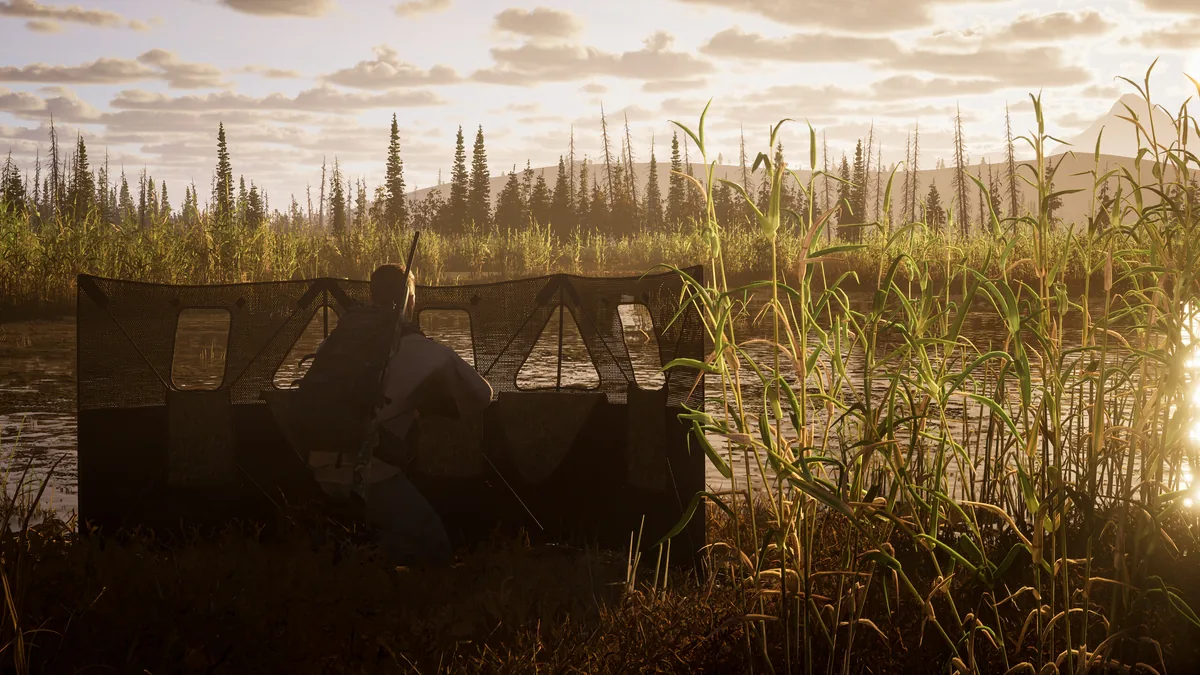
Two levers genuinely help, and both work on Deck: the Hunter Assist panel is configurable, and 1.0 added a high-contrast track style accessibility option. Turning both up is the difference between playable and not, on any hardware.
Test it at night and at range before you decide. If spotting and following a trail on a handheld screen is not enjoyable, no graphics preset changes that — and the same constraint applied to the first Way of the Hunter on Deck.
Controllers: the one thing you cannot configure
The FAQ is explicit: "Keyboard and mouse controls can be customized. Controller layouts are not customizable." On desktop that is an inconvenience. On Steam Deck it removes your fallback — there is no keyboard-and-mouse mode, and no way to remap the controller to your hands. The game does list "Full controller support" on Steam, and the 1.1 deadzone and inverted-look additions help, but "not optimized for Steam Deck" is not fixed by a deadzone value. Our update 1.1 write-up covers what that patch changed and what it did not.
Is it worth it?
| If you… | Verdict |
|---|---|
| Already own the PC version and want a portable 30-minute session | Worth trying. Nothing is blocked, and ProtonDB's best reports are Platinum |
| Bought the Deck version as your only copy | The PC version costs the same $39.99 and is the platform the game was tuned for |
| Play with a friend | Two-player co-op works, but there is no crossplay in 1.0, so your friend needs the same platform — see multiplayer and the crossplay answer |
| Want a verdict on the game rather than the port | Our worth-buying-at-launch verdict comes first |
Reporting a Deck problem so the developer actually reads it
Start with the official known-issues list — it decides whether your report is new information or a duplicate. It is live, and it is not the 1.0 list people assume: its header reads "The most recent version of the game is 1.1.212672." Two performance entries on it matter before you file anything:
| Entry on the known-issues list | Why it matters on a handheld |
|---|---|
| "(PC) Antialiasing > FSR option may not take effect, resolved by setting to TSR first, then FSR" | Labelled PC-only, but it is exactly the upscale path a Deck owner is most likely to be inside |
| "FPS drops in certain locations during sunset" | Carries no platform tag, so it is the likelier of the two to reach you — dusk is already when you are squinting |
Nothing on that list is tagged Steam Deck, which matches the FAQ's position that the handheld is not officially supported. There is no official Deck-specific channel; the FAQ's feedback section names Discord, the Steam Forum, Reddit and THQN Redmine as the places to raise bugs.
Filing it:
- Use the Redmine project link, not the front page: way-of-the-hunter-2-community. The developer links the same address from both the launch announcement and the known-issues page.
- Attach the saved files. Since Update 1.0 the game "will now auto-save every 60 seconds, accompanied by a blinking icon in the top right corner," so the state that broke is on disk. The announcement points at this Steam Community post for the instructions on locating and attaching them.
- Say what you changed. The store page flags
NativeResolutionNotDefault, so if you manually forced 1280×800, say so — it is half the report, because it tells the developer your setup is already off the default path. - Say whether it reproduces on keyboard and mouse. Keyboard and mouse are customizable while controller layouts are not, so a keyboard-and-mouse clean run on desktop points squarely at the handheld layer rather than the game.
- Use a non-Xbox login. The known-issues page warns that "logging in via Xbox Live can trigger an error on the site," and asks reports filed another way to name the platform you are playing on, ideally in the title.
One reason to file now rather than later: the Update 1.1 announcement promises that "in the first weeks after release there will have increased frequency of patches." A specific, reproducible Deck report this month is more likely to be read than the same report in six months. Our known issues page covers what has already been fixed.
FAQ
Is Way of the Hunter 2 playable on Steam Deck?
It launches and runs — that is the FAQ's own phrasing. Steam's page data marks it not Deck Verified (bSteamDeck: false), ProtonDB rates it Silver from 17 community reports, and the developer states it is not officially supported and not optimized. Three sources, three different questions, none of them contradicting the others.
Will it come to Steam Deck officially? No commitment exists. The roadmap lists gear and controller improvements, new maps, dog training and multiplayer work — no Deck support or verification.
What frame rate should I expect? There is no verified number to quote, and anyone giving you one is guessing. Set 1280×800 manually, start from the lowest preset, and enable the high-contrast track style before judging.
Can I remap the Deck's buttons? No. Keyboard and mouse bindings are customizable; controller layouts are not, and there is no other input method on the handheld.
Related
- Way of the Hunter 2 System Requirements: Steam Page and FAQ Disagree
- Way of the Hunter 2 Known Issues and How to Report Bugs Properly
- Way of the Hunter 2 Update 1.1 Patch Notes: What Is Fixed and What Is Not
- Way of the Hunter 2 on Xbox, PS5 or PC: What Each Version Has
- Way of the Hunter 2 All Animals: 28 Species by Map (2 Unrevealed)
More Way of the Hunter 2 Guides
Way of the Hunter 2 tips that change results: reading tracks, wind, callers, waiting out weather, and using the dog to find wounded game.
Kilimaya Reserve in Way of the Hunter 2: the 100 km2 Africa map, its 13 species, which predators can charge you, and how to hunt hippo and buffalo safely.
Way of the Hunter 2 known issues after launch: the demo config fix for broken resolution settings, plus how to report a bug.
All 3 Way of the Hunter 2 maps with exact sizes: New Laurentia and Kilimaya at 100 km2 each, Hearth & Hunt at 16 km2. What each holds.
How to play co-op in Way of the Hunter 2: how to invite a friend, open a lobby, join a session, and the 2-player limit that trips people up at launch.
New Laurentia in Way of the Hunter 2: the 100 km2 North America map, its 15 species, elk and moose behaviour, need zones, tracks and hunting pressure.
Way of the Hunter 2 update 1.1 summary: weather forecast, inverted look, controller deadzone fixes, what is still broken, and how to report bugs.
Way of the Hunter 2 costs $39.99 or $59.99 deluxe. What the 8-DLC Season Pass adds, what Heirloom Pack includes, and how game 1 owners save.